





























Quality Management Statistics
Get an overview of quality metrics based on how supervisors or VCC AI Quality Management rated calls, chats or tickets.
Table of Contents
To Check Quality Management Statistics
- From the VCC Live menu, select Logs and Statistics > Quality Management Statistics.
- Set the time interval you need the log for.
- Press
 for more filtering options, then press Search.
 for more filtering options, then press
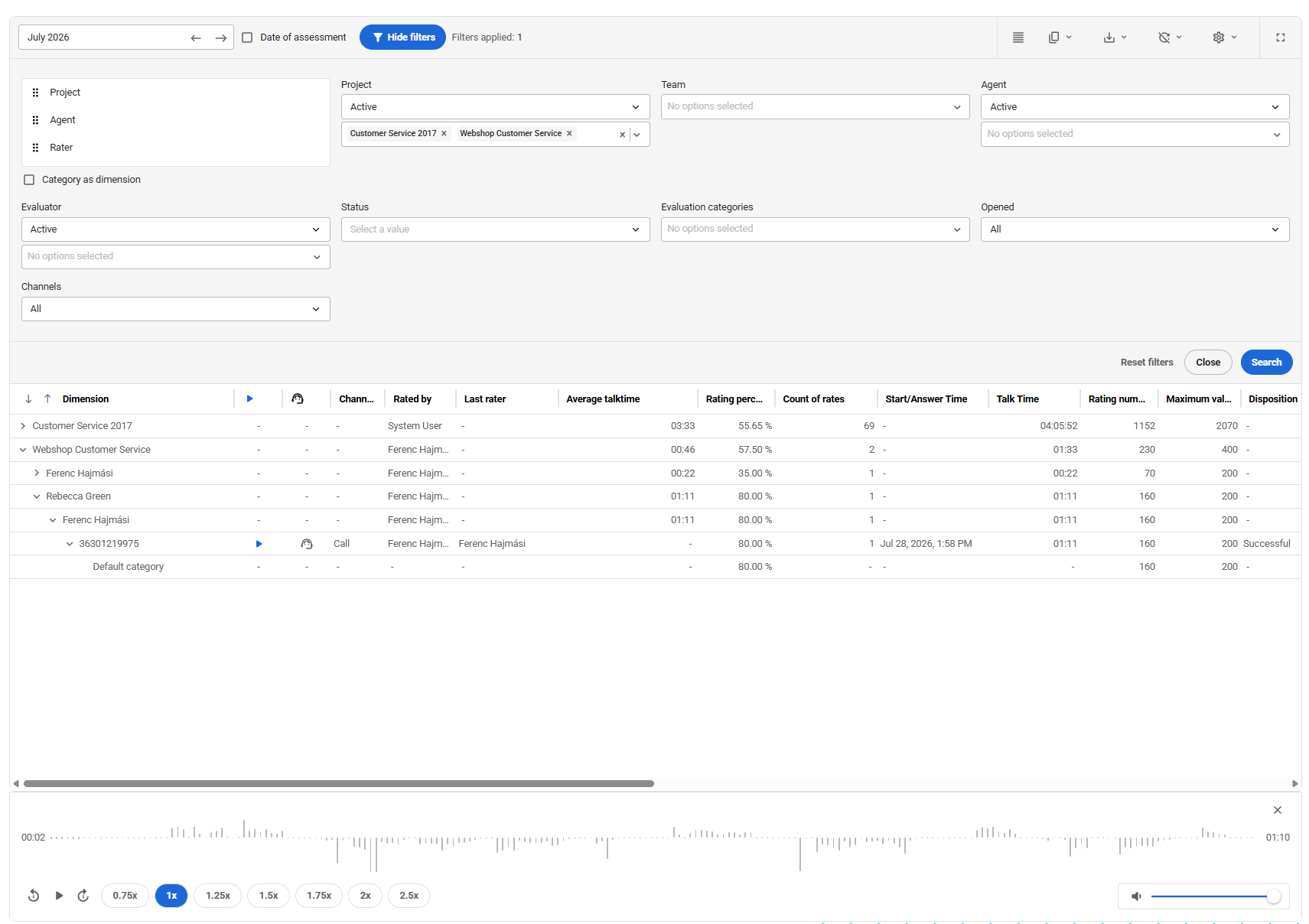
 You have the option to filter by:
- Project
- Team
- Agent
- Evaluator
- Status
- Evaluation category
- Channel
- Opened by Agent
You can filter the records both by date of assessments and date of calls. Open the assessment to see detailed results or start the audio player for the call. It is possible to change the dimension of records, including project, agent and evaluator.
If you enable ‘Category as dimension’, then you can also order QM assessment category as a dimension in the report.
Play the audio file of a related call immediately or open the evaluation scorecard to view the detailed results.
Related articles
There's always more to learn. Discover similar features by visiting related articles:
Comments
Can’t find what you need? Use the comment section below to connect with others, get answers from our experts, or share your ideas with us.
There are no comments yet.