

https://vcc.live/wp-content/uploads/2022/03/vcclive_main_logo.svg
  • Product
    Back to all pages
    https://vcc.live/wp-content/uploads/2023/09/omnichannel-test-3.svg
    Omnichannel

    Instantly switch between your customer's preferred channels and handle multiple conversations at once.

    Key channels VCC Live supports

    Voice SMS Email Live chat software Instant messaging apps Social media

    Email, social and more for SYKES and Huawei

    https://vcc.live/wp-content/uploads/2023/09/sykes-topnav-menu.svg
    WhatsApp > Messenger > Case studies >
    https://vcc.live/wp-content/uploads/2023/10/ai-topnav-icon-2.svg
    AI and automation

    Drive intelligent productivity and efficiency with VCC Live's suite of AI and automation tools.

    https://vcc.live/wp-content/uploads/2023/09/call-cetner-software-test-7.svg
    Call center

    Explore our call center software for driving productivity, fueling automation, and delivering exceptional CX.

    Powering Decathlon's call center

    https://vcc.live/wp-content/uploads/2022/09/Decathlon_Austria_Thumbnail.jpg
    Why VCC Brochure Security
    https://vcc.live/wp-content/uploads/2023/09/outbound-test-3.svg
    Outbound

    Handle more live calls, boost talk time, and automate outreach with a feature-filled outbound solution.

    Features to boost outbound activities

    Automatic dialing Voicemail detection Outbound IVR Over-the-phone payments

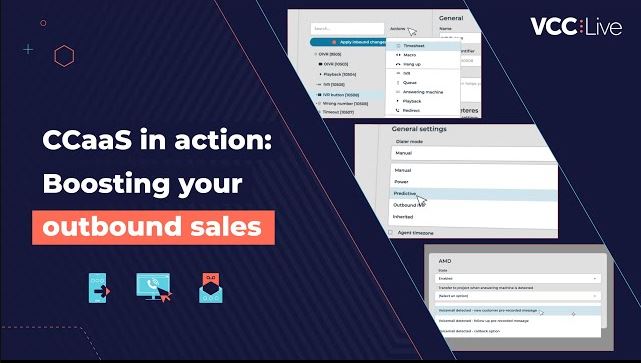
    Fueling your outbound sales

    https://vcc.live/wp-content/uploads/2023/09/boosting-sales-thumbnail-image.jpg
    Sales teams > Case studies > Collections >
    https://vcc.live/wp-content/uploads/2023/09/inbound-icon-3.svg
    Inbound

    Swiftly resolve issues, empower omnichannel, and handle volume with ease with our CX-focused solution.

    VCC live for inbound contact centers

    IVR systems Distributing calls (ACD) Call center scripting KPI dashboard

    Transforming customer service for tbi bank

    https://vcc.live/wp-content/uploads/2023/05/tbi-interview-banking.jpg
    Customer service > Case studies > Multichannel >
    vcc live 360 webagent menu icon
    VCC Live 360 Agent

    It's faster without installation! VCC Live works from your agents' browser wherever they are, powered by the latest AI technology.

    https://vcc.live/wp-content/uploads/2023/09/integrations-test-4.svg
    Integrations

    Connect VCC Live with any of your trusted business tools, including CRMs, payment tools, and much more.

    Selected integrations for VCC Live users

    Salesforce Hubspot Looker (Data Studio) Docusign Dialogflow Zapier

    Handle calls without leaving Salesforce

    https://vcc.live/wp-content/uploads/2023/06/salesforce-video-1.jpg
    Looker case study > Release center > Security >
  • Solutions
    Back to all pages
    https://vcc.live/wp-content/uploads/2023/08/sales-call-center-icon.svg
    Sales teams

    Connect and sell more than ever before with an automation-led solution for driving sales success.

    Powerful BI for next-level sales

    https://vcc.live/wp-content/uploads/2023/09/effective-communicatio-case-study-topnav.png
    https://vcc.live/wp-content/uploads/2023/08/customer-service-call-center-icon.svg
    Customer service

    Orchestrate a high-volume handling and resolution-focused approach that delights customers.

    92% of calls within SLA

    https://vcc.live/wp-content/uploads/2023/09/decathlon-case-study-topnav-2.png
    https://vcc.live/wp-content/uploads/2023/08/debt-collection-call-center-icon.svg
    Debt collection

    Make collections faster and simpler to speed up repayments and recover like never before.

    94% voicemail detection rate

    https://vcc.live/wp-content/uploads/2023/09/delfin-group-case-study-topnav.png
  • Industries
    Back to all pages
    https://vcc.live/wp-content/uploads/2025/11/bpo-call-center-icon2.svg
    BPO

    Deliver consistent, high-quality customer interactions at scale with a flexible, automation-ready contact center platform.

    2,000+ hours of active monthly talk time

    https://vcc.live/wp-content/uploads/2023/09/effective-communicatio-case-study-topnav.png
    https://vcc.live/wp-content/uploads/2025/11/retail-call-center-icon2.svg
    Retail

    Create seamless omnichannel shopping experiences and resolve customer inquiries faster across every touchpoint.

    92% of calls handled within SLA

    https://vcc.live/wp-content/uploads/2023/09/decathlon-case-study-topnav-2.png
    https://vcc.live/wp-content/uploads/2025/11/banking-call-center-icon2.svg
    Banking

    Support secure, compliant customer communications while speeding up loan processing, onboarding, and resolution workflows.

    Over 50% increase in efficiency

    https://vcc.live/wp-content/uploads/2025/11/tbi-bank-2.png
    https://vcc.live/wp-content/uploads/2025/11/insurance-call-center-icon2.svg
    Insurance

    Enhance policyholder engagement with efficient claims handling, smooth onboarding, and proactive communication.

    20% of workforce saved with automation

    https://vcc.live/wp-content/uploads/2025/11/waberer_topnav.png
    https://vcc.live/wp-content/uploads/2025/11/consumer-lending-call-center-icon2.svg
    Consumer Lending

    Accelerate loan servicing and repayments, and ensure reliable outreach with automated, compliant workflows.

    Higher efficiency and 30% more calls handled

    https://vcc.live/wp-content/uploads/2025/11/4finance_2.png
    https://vcc.live/wp-content/uploads/2025/11/healthcare-call-center-icon2.svg
    Healthcare

    Strengthen patient experience with secure, timely communication and streamlined scheduling, reminders, and support workflows.

    Improved CX and CSAT scores

    https://vcc.live/wp-content/uploads/2025/11/healthcare-teladoc-2.png
  • Packages
  • Resources
    Back to all pages
    Blog Case Studies Ebooks KPI library Webinars Call Center Courses Customer Interviews Information Security Telco Services Learning Center Developers Release Center Download here
  • Company
    Back to all pages

    Explore more

    About us Why VCC Live Careers News Partners

    Check out our history

    https://vcc.live/wp-content/uploads/2023/09/20yrs-anniversary-thumbnail.jpg
  • Partners
  • Become a partner
  • Email us
CONTACT US VIEW DEMO
Developer GuidesDatabase APIEmailNew inbound email
  • Overview
    • About Database API
    • The API location
    • Authentication and Security
    • Testing API
    • Request and Response
    • HTTP Response Codes
  • Examples
    • Hello World Example
    • Advanced Example
    • Web Callback Example
  • Reference
  • Project
    • List projects
    • List project outbound numbers
    • Get project parameters
    • Cloning projects
    • Get quota limits
    • Modify quota limits
  • Database
    • Manage Records
      • List records
      • Get detailed record information
      • Add record
      • Modify record
      • Modify contact
      • Batch record modification
    • Manage Fields and Values
      • Add field and values
      • Add new value(s) to a field
      • Modify value(s) of a field
      • Delete a value
    • Manage Dispositions
      • Add disposition
      • Batch disposition modification
    • Robinson list / DNC list
      • Add new value to Robinson list
      • Delete from Robinson list resource
  • Statistics
    • Dashboard API
    • Get CDR log
    • Get CDR log for a specified UUID
    • Get voicefile for a specified CDR
    • Get inbound statistics
    • User state log
    • User-based statistics
    • User-based model
    • Number of available agents in a queue
    • User's Current Status
  • Email
    • Get Email Log
    • Send template email
    • Update email
    • Download email attachment
    • New inbound email
  • Chat
    • Get Chat Log
  • Users
    • List users
    • Add new user
    • List teams
    • List all roles
    • List online users
    • List user activities
  • Quality Management
    • Get AI Transcription
    • Get QM evaluations
    • Get QM parameters
    • Create QM assessment
  • Ticket
    • Get Ticket List
  • Archiver
    • Get the year and month when no voicefiles were archived
    • List all downloadable voice files in a given month
    • Set a successfully downloaded voicefile as archived
    • Download voice file
  • Campaign Manager
    • Get Database
    • Get Fields
    • Add Customer
    • Modify Customer
Back to Support and Learning Center

New inbound email

Inbound Email

Submit incoming email messages and webform submissions into a project via API, including attachments, and trigger configured project email workflows.

Request
Method POST
Resource https://[customer].asp.virtual-call-center.eu/v2/projects/[projectid]/inboundEmail
Options N/A
Body Inbound email object, encoded in JSON.
Response
Body Status response object, encoded in JSON.

Request

Resource parameters

Name Type Mandatory Comment
projectid integer yes Project unique identifier

Body parameters

Name Type Mandatory Comment
from string yes Sender name and/or email address (e.g. "John Doe <[email protected]>" or "[email protected]").
to string yes Recipient email address matching an active email account assigned to the project.
subject string yes Subject of the email message.
body string yes Body text of the email message (supports plain text or multiline text with line breaks).
cc string no Carbon copy (CC) recipient email addresses.
replyTo string no Reply-to email address where agent replies should be directed.
attachments array of objects no List of file attachments associated with the email. Maximum decoded total size is 20 MB.

Attachments object

Name Type Mandatory Comment
filename string yes Name of the file attachment including extension (max 255 characters). Cannot be empty or relative paths.
content string yes File content encoded in Base64. Inline attachments are not supported; all files are treated as regular attachments.

Response

Response object

Name Type Comment
response object Contains the execution result and details of the received email.
errors array Array of error messages, if any occurred.

Response details object

Name Type Comment
success boolean Indicates whether the inbound email was successfully received and queued.
emailId integer Unique identifier assigned to the created email.

Example

Submitting a contact webform with a customer query and a text attachment into project 130.

Request

POST https://customer.asp.virtual-call-center.eu/v2/projects/130/inboundEmail HTTP/1.1

{
  "from": "John Doe <[email protected]>",
  "to": "[email protected]",
  "cc": "[email protected]",
  "replyTo": "[email protected]",
  "subject": "Webform submission - Inquiry",
  "body": "Name: John DoernPhone: +36 1 234 5678rnrnMessage: Please find the attached document regarding my inquiry.",
  "attachments": [
    {
      "filename": "note.txt",
      "content": "aGVsbG8gUUEK"
    }
  ]
}

Response body

{
    "response": {
        "success": true,
        "emailId": 12345
    },
    "errors": []
}
Back to Support and Learning Center

Comments

Can’t find what you need? Use the comment section below to connect with others, get answers from our experts, or share your ideas with us.


There are no comments yet.

Click here to cancel reply.

Please note that by clicking on the Submit button, you agree to a member of VCC Live team contacting you with business offers. You can find detailed information on how we can establish contact with you in our Privacy Policy

illustration

Product

  • Call center
  • Omnichannel
  • Outbound
  • Inbound
  • Channels
  • Integrations
  • More on VCC

Main Features

  • IVR system
  • Auto dialer
  • Call queuing software
  • Automatic Call Distribution
  • Call center scripting tool
  • Outbound IVR
  • Predictive dialer
  • Voicemail detection
  • Contact center dashboard

Solutions

  • Customer Service
  • AI and Automation
  • Sales Teams
  • Debt Collection
  • BPO
  • Retail
  • Financial Services
  • Banking
  • Insurance
  • Consumer Lending
  • Healthcare

Resources

  • Blog
  • Case Studies
  • Ebooks
  • Call Center Courses
  • Information Security
  • Learning Center
  • Download
  • Telco services
  • Call center KPI library

Company

  • About us
  • Why VCC Live
  • Careers
  • News
  • Partners
https://vcc.live/wp-content/uploads/2022/03/iso-cert-1-min.png https://vcc.live/wp-content/uploads/2022/03/iso-cert-2-min.png https://vcc.live/wp-content/uploads/2022/03/iso-cert-3-min.png https://vcc.live/wp-content/uploads/2025/04/SOC2-website-e1745483442463.png

Social Media

https://vcc.live/wp-content/uploads/2022/03/linkedin-footer.svg https://vcc.live/wp-content/uploads/2022/03/twitter-footer.svg https://vcc.live/wp-content/uploads/2022/03/facebook-footer.svg https://vcc.live/wp-content/uploads/2022/03/instagram-footer.svg

Call us

https://vcc.live/wp-content/uploads/2022/03/flag-hu.png Hungary
+36 19996400
https://vcc.live/wp-content/uploads/2022/03/flag-en.png UK
+44 2086380169
https://vcc.live/wp-content/uploads/2022/03/flag-de.png Germany
+49 3021782516
https://vcc.live/wp-content/uploads/2022/03/flag-pl.png Poland
+48 123950886
https://vcc.live/wp-content/uploads/2022/03/flag-ro.png Romania
+40 31706167
https://vcc.live/wp-content/uploads/2022/03/flag-usa.png USA
+1 3024988337
  • Privacy Policy
  • Cookie Policy
  • Legal Statement
  • General Terms of Agreement
  • Magyar nyelvű jogi dokumentumok
illustration